Sports Tech Clock: Building a Better Game Day Workflow
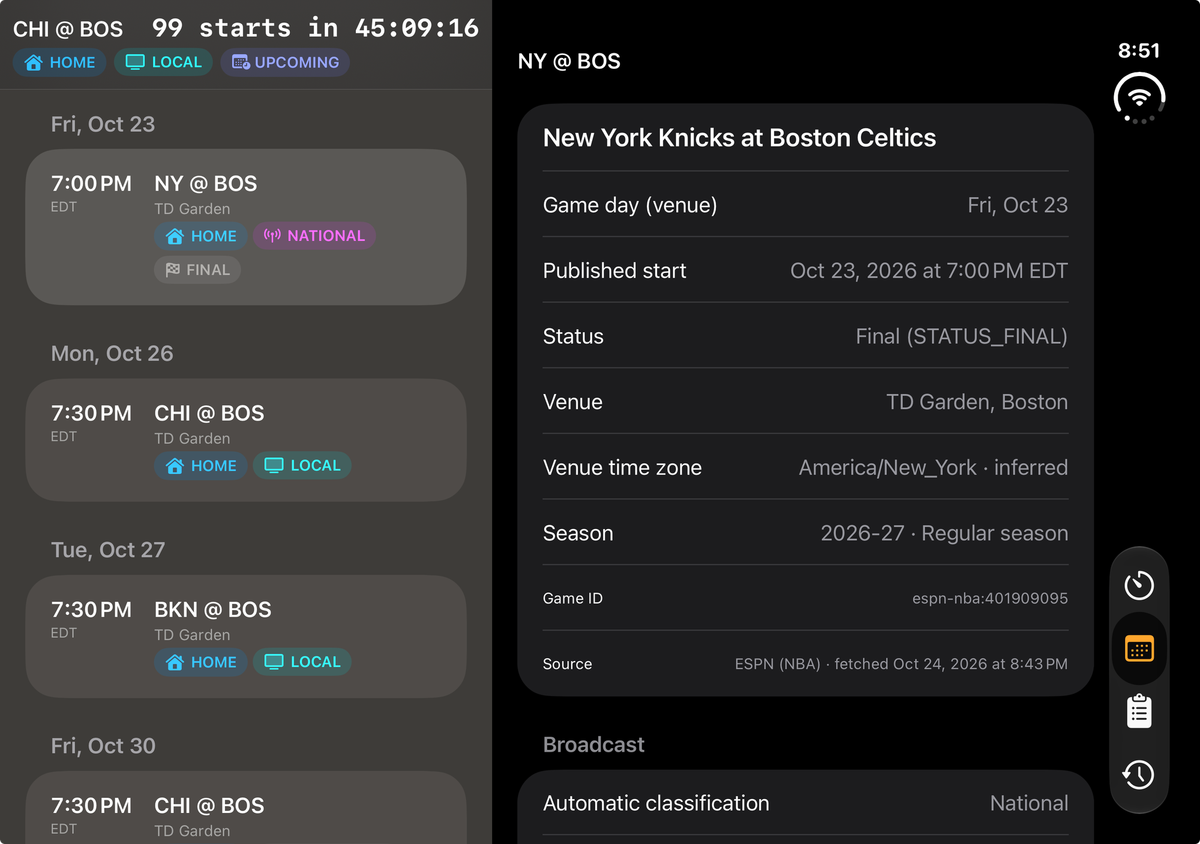
Anyone who has worked a game knows that the published start time is only one part of the schedule.
Behind every tip-off, first pitch, or kickoff is a long list of things that need to happen at exactly the right moment. A broadcast check might be due 75 minutes before the show. A readiness update needs to go out 30 minutes before a specific cue. Someone needs to confirm a system is ready when the operational clock hits zero.
The problem is that game day rarely follows a perfect script. Start times move, broadcast windows change, and crews end up managing reminders across paper checklists, group texts, and whatever app they happen to have open. I was motived to build it when a important person in my organization requested to use Claude Co-Work to send them reminders, a little overkill and definently a security risk.
So I started building Sports Tech Clock to solve that problem as well as others for my peers. The goal was simple: give anyone working a game one place to see the clock they actually operate against, the tasks tied to it, and what still needs to get done.
The game clock isn't always your clock
In basketball, many crews work backward from a countdown known as the 99. But the operational zero isn't necessarily the published tip-off. Depending on the role, it might be set several minutes before or after the scheduled start.
A traditional calendar reminder knows the time of an event. It doesn't understand that a backup audio test should happen with 75 minutes remaining on a custom countdown, or that a task should move when the operational start changes.
Sports Tech Clock is built around that logic. You define the countdown, its duration, and where zero falls relative to the published game start. From there, you can attach tasks to a fixed time, an offset from zero, or a specific point on the countdown.
If the start moves, you can adjust the operational clock without rebuilding the entire checklist.
Built for the people doing the work
The app is organized around four areas that reflect how game-day operations actually work:
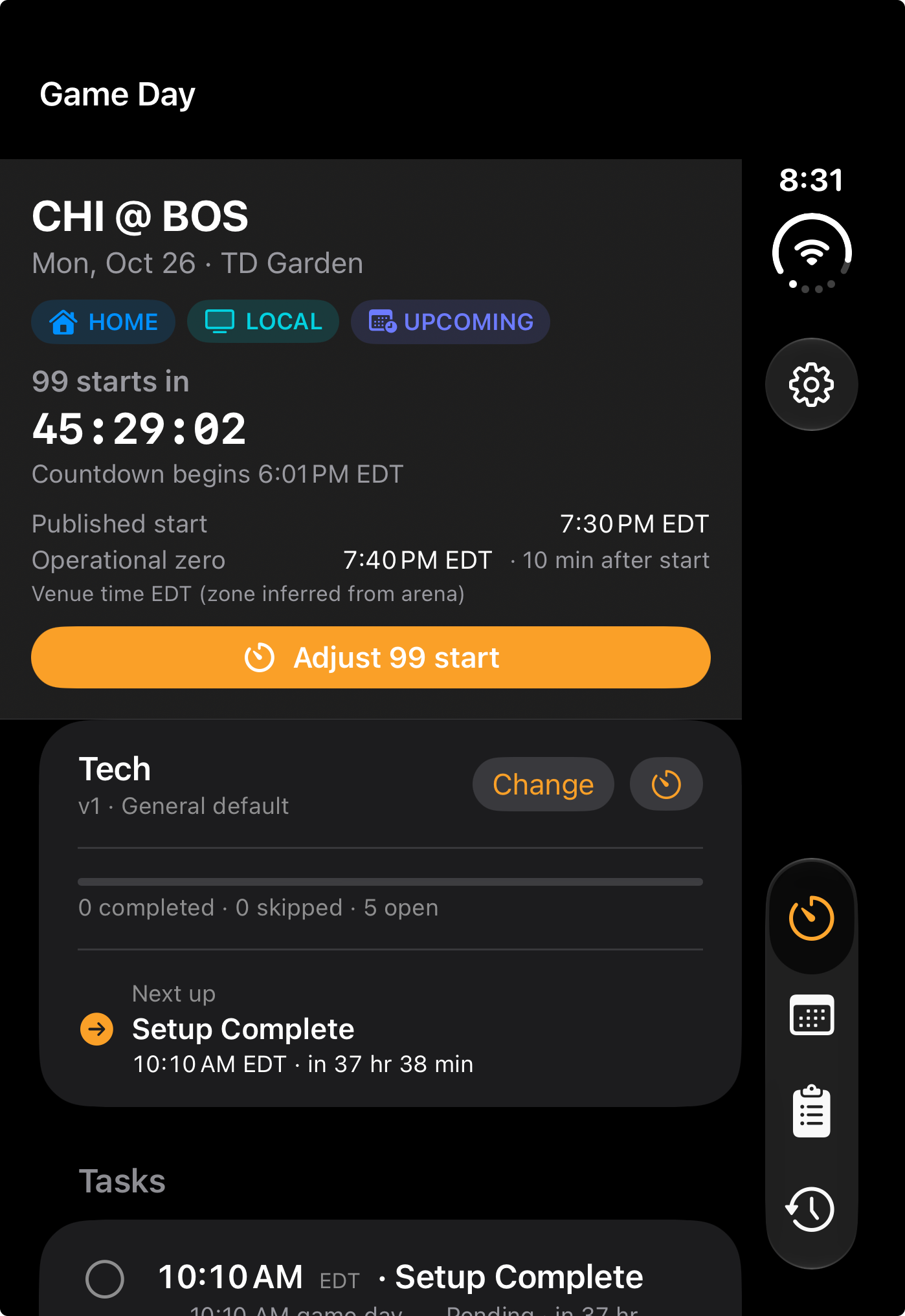
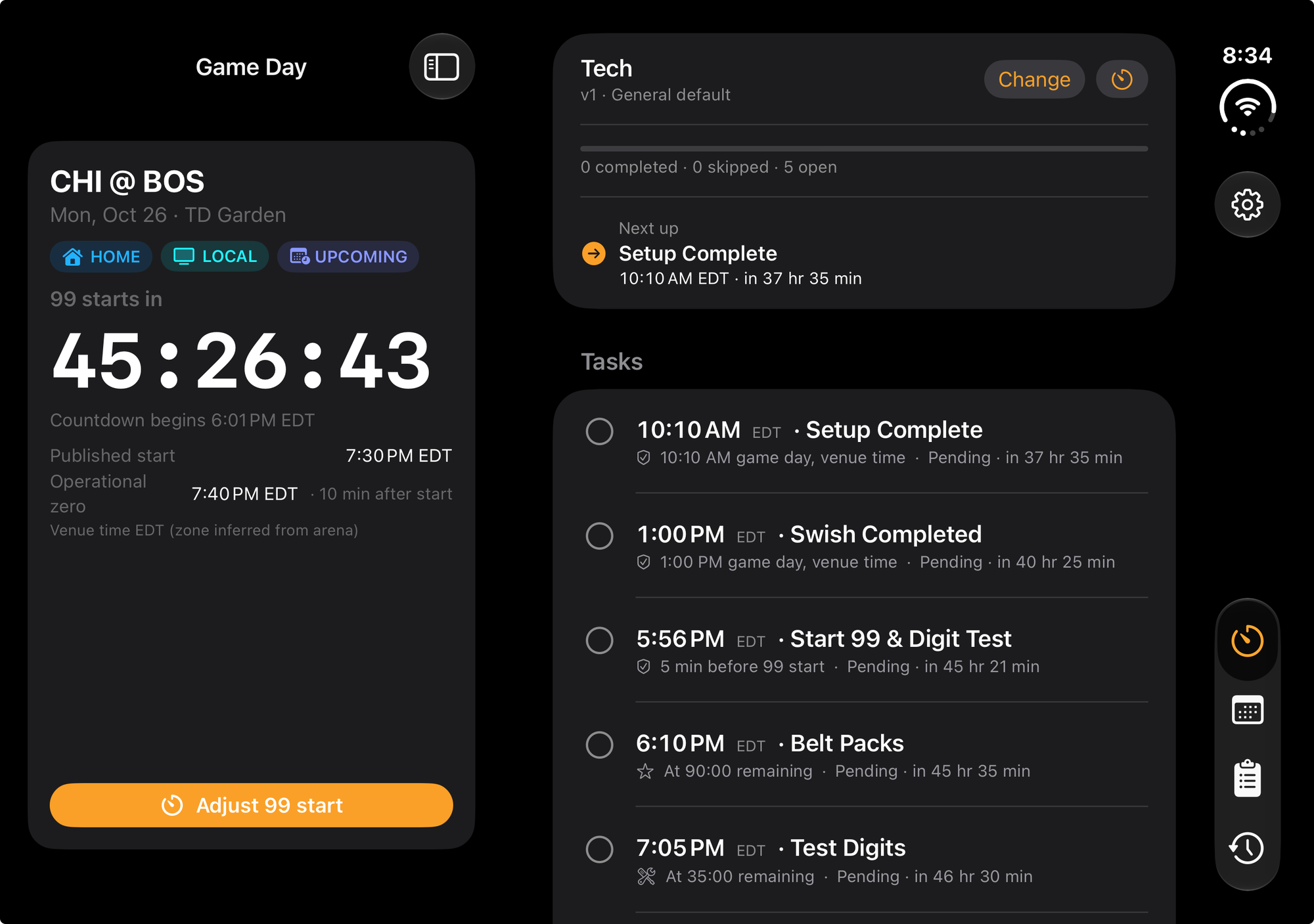
- Game Day: A live operational countdown, the active checklist, upcoming tasks, overdue alerts, and a quick way to adjust the start.
- Schedule: Upcoming home and away games, venue information, time zones, and broadcast indicators, including national and local coverage.
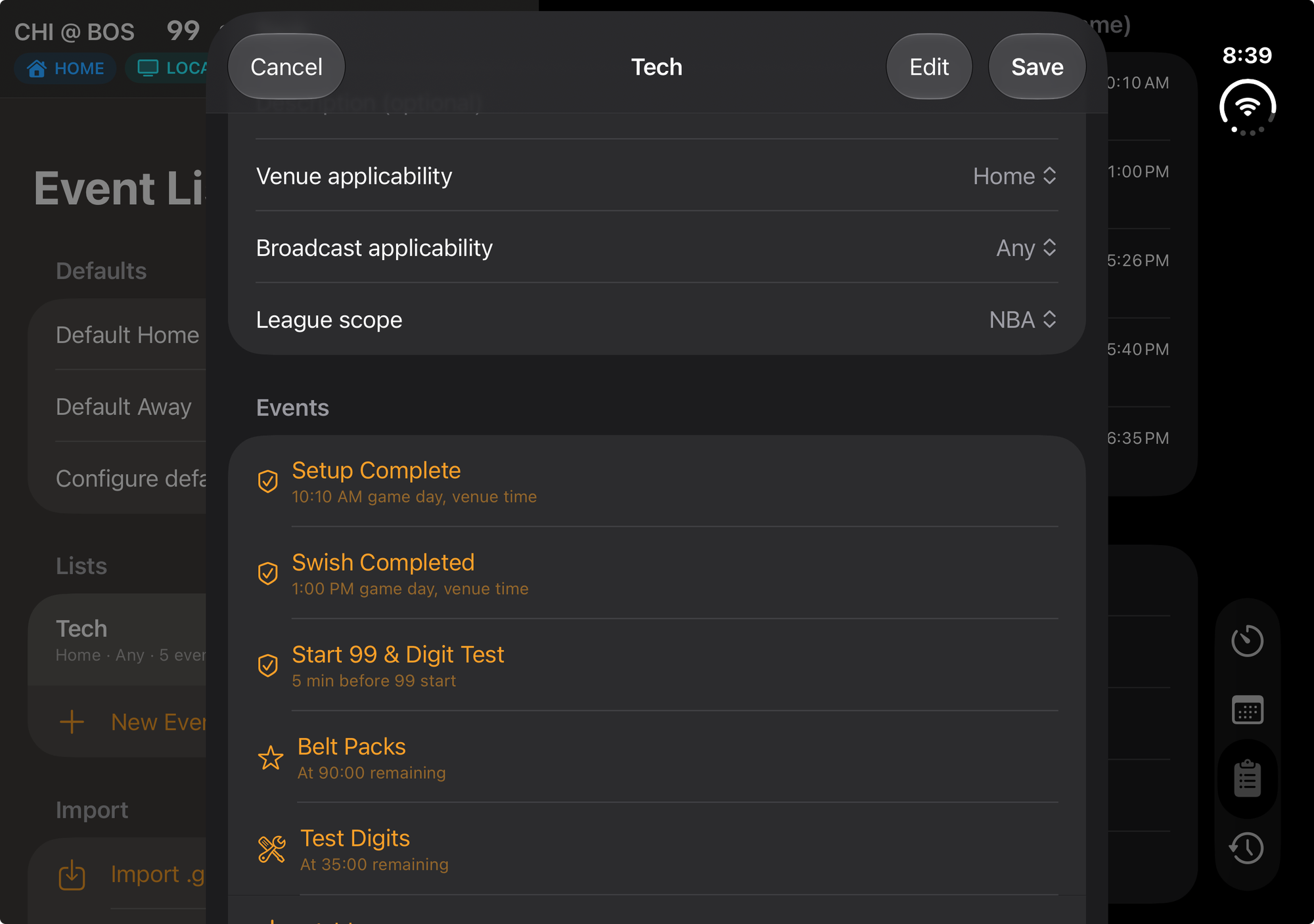
- Event Lists: Reusable checklists that can be applied to different games, with variations for home games, road games, and broadcast requirements.
- History: A timestamped record of tasks completed or skipped, including who recorded the action, so you can look back at what happened.
I also wanted the app to be useful when connectivity isn't. Your checklists and cached games live on the device. There is no account required, and local notifications can alert you to tasks even when the app is closed. Once a game is loaded, the core workflow remains available offline.
This is intentionally a personal, local-first tool today. Sharing a checklist is possible, but live collaboration between crew members is not part of the current build.
One app, very different screens
A big part of this latest round of development was making the interface respond to the screen someone is actually using, rather than stretching the same phone layout across every device.
That became especially important while working with a foldable, book-style iPhone form factor. The narrow outer display and the wider unfolded screen demand different experiences.
On the outer display, Sports Tech Clock prioritizes the things you need to see quickly: the active game, countdown, next task, and a compact navigation rail. It is designed for a glance between other responsibilities, without having to open up the entire device.
On a wider screen, the layout becomes a workspace. Game Day can place the countdown and checklist side by side. Schedule, Event Lists, and History use a list-and-detail layout, letting you move between games or templates without losing your place.
The layout responds to available screen space rather than relying on a simple portrait-versus-landscape rule. That same approach carries over to iPad and continues to work when the device rotates or its window changes size.
I also added Lock Screen and StandBy widgets so the countdown or next due task can be checked without opening the app. On game day, reducing even a few unnecessary taps makes a difference.
Tested on real games, with more to build
The NBA is where I've been testing Sports Tech Clock against actual game nights. That has been the most useful part of development because the edge cases become obvious when you're using something during a real event instead of just testing sample schedules.
The underlying data model already supports MLB, NFL, NHL, WNBA, MLS, and Formula 1, including sport-specific language such as first pitch, puck drop, and lights out. Formula 1 also needs different venue logic because home and away don't apply the same way. Those leagues still need the same real-world validation before I consider them ready for everyday use.
There are two bigger capabilities I want to tackle next.
Live game clock integration. Today, the countdown uses the published start and the operational rules you've configured. The next step is connecting it to live event data so delays and changes on the floor or field can update the workflow automatically instead of requiring a manual adjustment.
Shared crew checklists. Right now, Event Lists can be sent to another person as a file through AirDrop, text, or email. Each person gets an independent copy. The longer-term goal is a shared checklist where everyone assigned to the same game can see task status, overdue items, and who completed what in real time.
Neither feature is in the current build. Both are aimed at the same problem that started this project: making the clock and the checklist reflect what is actually happening at the venue.
Keeping the focus on game day
I've worked enough games to know that the best operational tools aren't necessarily the ones with the most features. They're the ones that make the next action obvious when everyone is busy and the schedule changes.
That's what I'm trying to build with Sports Tech Clock. A simple tool that understands how sports operations work, respects the realities of game day, and gives people more time to focus on the job in front of them.